Screenshot beautifier.
Give your screenshot room to breathe. Add a background, rounded corners, and a soft shadow, then export it.
Your original screenshot stays sharp. All editing happens on this device.
A cleaner screenshot in three steps.
All screenshot toolsBring your screenshot.
Upload, paste, or drop a PNG, JPEG, or WebP.
Refine its presentation.
Set the spacing, soften the corners, and choose a shadow and background.
Export your image.
Choose the output size and download. Open in editor to add a headline or a device frame.
Give the screenshot a deliberate amount of space.
Balance the screenshot, its shadow, and the surrounding canvas for a finished image. These exports use the same source screenshot and blue background.
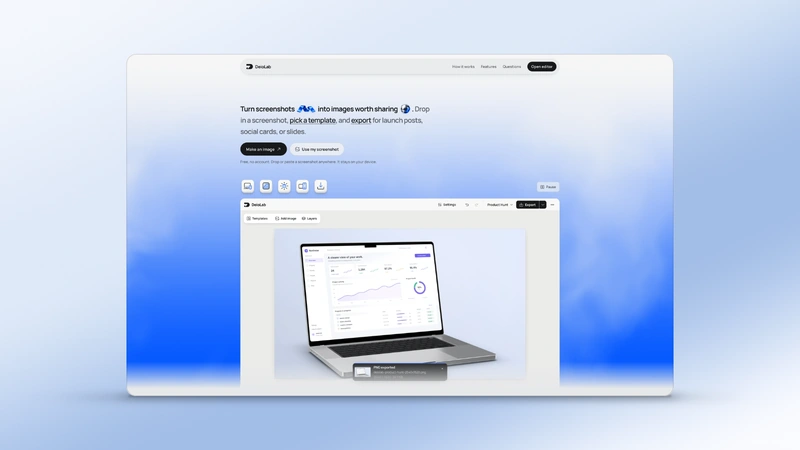
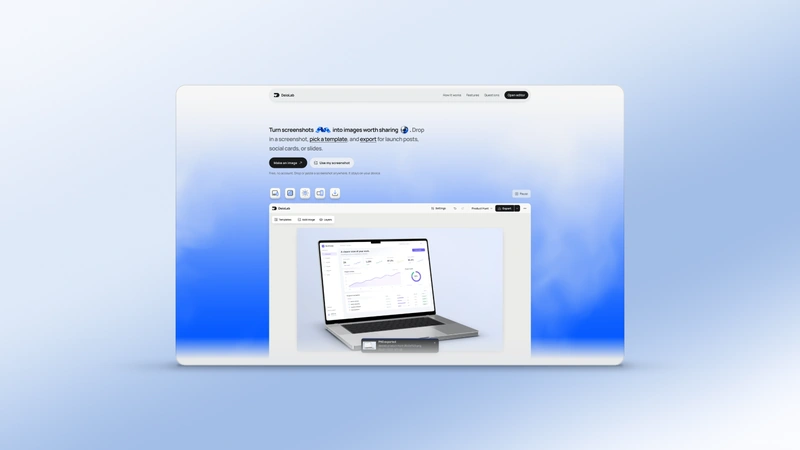
Real DeioLab exports using a screenshot of the DeioLab website.
Questions people ask.
Is this free?
Yes. Edit and download without an account, subscription, or watermark.
Are my screenshots uploaded?
No. Images open, render, save, and export locally in your browser.
Which screenshots can I use?
Upload a PNG, JPEG or WebP, paste it, or drop it onto the canvas. Replace the screenshot whenever you need.
Can I make more changes?
Yes. Open in editor to add text, change frames, or build a coordinated gallery. This tool keeps its own local draft.
Will this change my saved editor project?
No. Open in editor asks before replacing an existing workspace, and Undo restores that workspace.